01 / THE CHALLENGE
The work that needed to change.
Preparing and attaching illustrations to an expanding glossary involved repetitive content and publishing steps. Processing state also needed to remain consistent between runs.
02 / THE SOLUTION
Connecting the right steps.
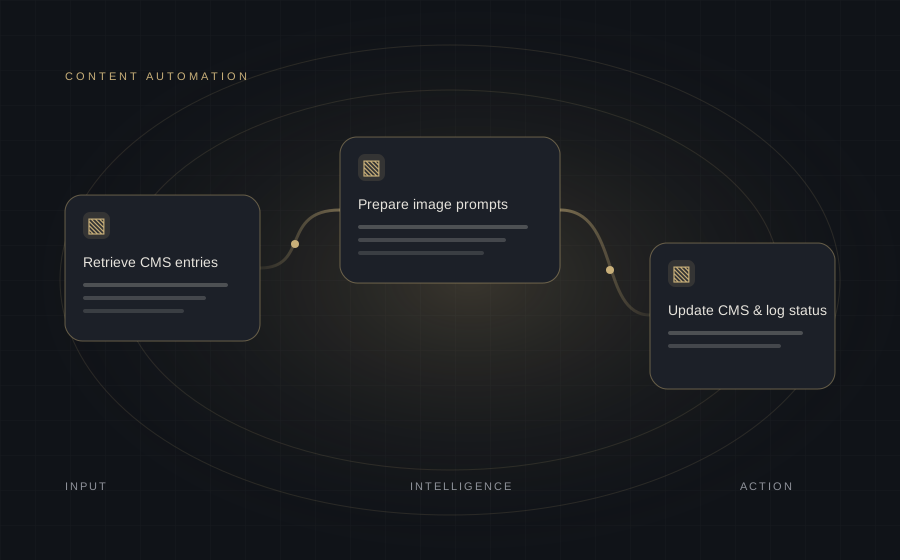
GraphQL retrieves CMS entries, filters identify work to process, and a prompt workflow prepares image instructions. Generated assets are uploaded to object storage, linked back to the CMS and recorded in a processing log.
- Scheduled and batch processing
- Contextual image prompts
- Hosted media URLs and CMS updates
- Processed-entry tracking
03 / THE WORKFLOW
How the system works.
- 01Retrieve CMS entries
- 02Filter unprocessed content
- 03Prepare image prompts
- 04Render & check illustrations
- 05Upload media assets
- 06Update CMS & log status
04 / THE OUTCOMES
What the workflow made possible.
- Connected recurring media creation and publishing steps.
- Reduced repetitive CMS administration.
- Maintained a record of processed entries between runs.
05 / TECHNOLOGY
Tools behind the workflow.
n8nGraphQLComfyUISupabaseAWS S3
 Chat on WhatsApp ↗
 Email Us ↗